Building software
On Building a Personal Reading Pipeline

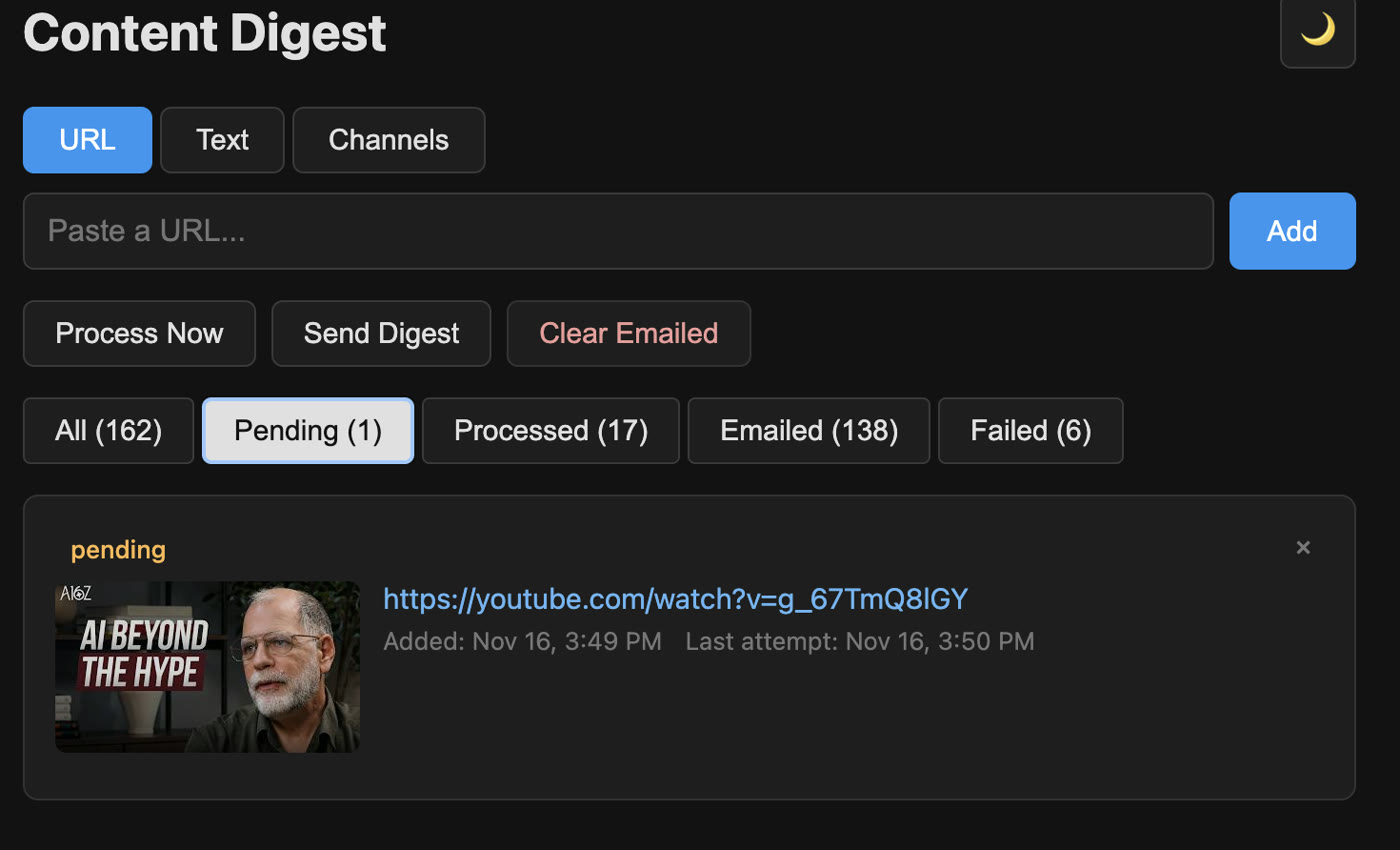
I was getting overwhelmed by the amount of video content I wanted to learn from. Much of it was people talking to a camera. Mixed in were clickbait videos asking for ten minutes or more of my time, wrapped in a catchy thumbnail. I was interested in what they had to say, but keeping up meant more watching and listening than I wanted.
Could I turn those videos into something I could read each day instead?
I built a small app around that question. I save a video through a Chrome extension or an iOS shortcut, and the app prepares a summary for a digest I can read on my Kindle. It also accepts webpages, and a web reading view lets me read the same material in a browser. The original links stay with the summaries so I can go back when something deserves a closer look.
Getting a model to summarize a video was only one part of making this useful. A saved link needs to survive a failed transcript request or a timeout. A finished summary needs to reach the reading view without overwriting something I just added. Those handoffs became much of the engineering work.
Capture now, process separately
The app runs as a single FastAPI worker behind Nginx on my server. It stores queue entries in JSON files. Processing, email delivery, and channel polling run as separate background jobs.
A submitted URL becomes a pending item. The capture request returns without waiting for a summary. YouTube channel URLs take a different route: they start channel tracking, and polling can add new videos later.
Shared text is different again. It enters as processed content, ready for reading and delivery. The current text endpoint does not send that text through Gemini. That is useful for material already prepared elsewhere, but the distinction should be visible when describing what the app does.
A Chrome extension with one job
The extension offers three ways to submit a URL: right-click a link, right-click a page, or click the toolbar icon. Its Manifest V3 background service worker sends the URL to the webhook. URL cleanup and routing stay on the server.
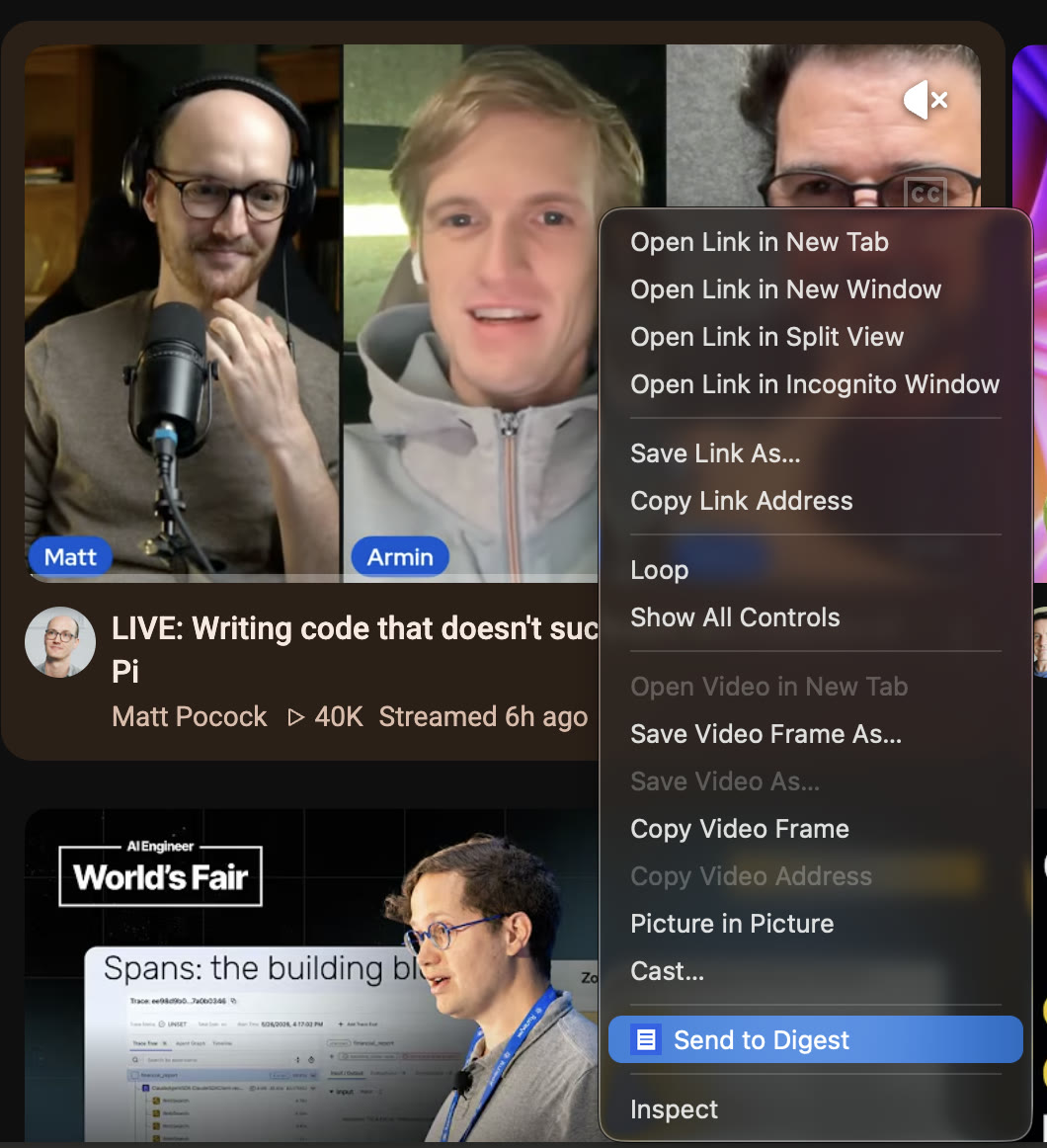
The context-menu handler chooses the linked URL when there is one, otherwise the page URL:
chrome.contextMenus.onClicked.addListener((info, tab) => {
  if (info.menuItemId === 'send-to-digest') {
    return sendUrl(info.linkUrl ?? info.pageUrl, tab?.id);
  }
});
The extension requests contextMenus, activeTab, and storage permissions, plus access to its server. Chrome's context menu API lets the action apply to pages and links without injecting a capture interface into every page [Chrome documentation].
The more interesting decision is what happens after an uncertain delivery. A request has a 20-second timeout and no automatic retry. If the response is lost after the server accepts the URL, retrying could create another entry. The badge reports that delivery is unconfirmed and asks me to check the queue.
An in-memory set blocks concurrent submissions of the same URL from the extension. It is not persistent deduplication. A later click can still add the same URL again. This is a deliberately small capture client, with limits that matter when something goes wrong.
The iOS side is a Share Sheet shortcut
The mobile interface uses the same idea: accept a shared URL and send JSON to the webhook with a POST request. A minimal shortcut uses Share Sheet input, extracts the URL, and passes it to a Get Contents of URL action with a JSON request body.
Watch the iOS capture flow (11-second GIF)
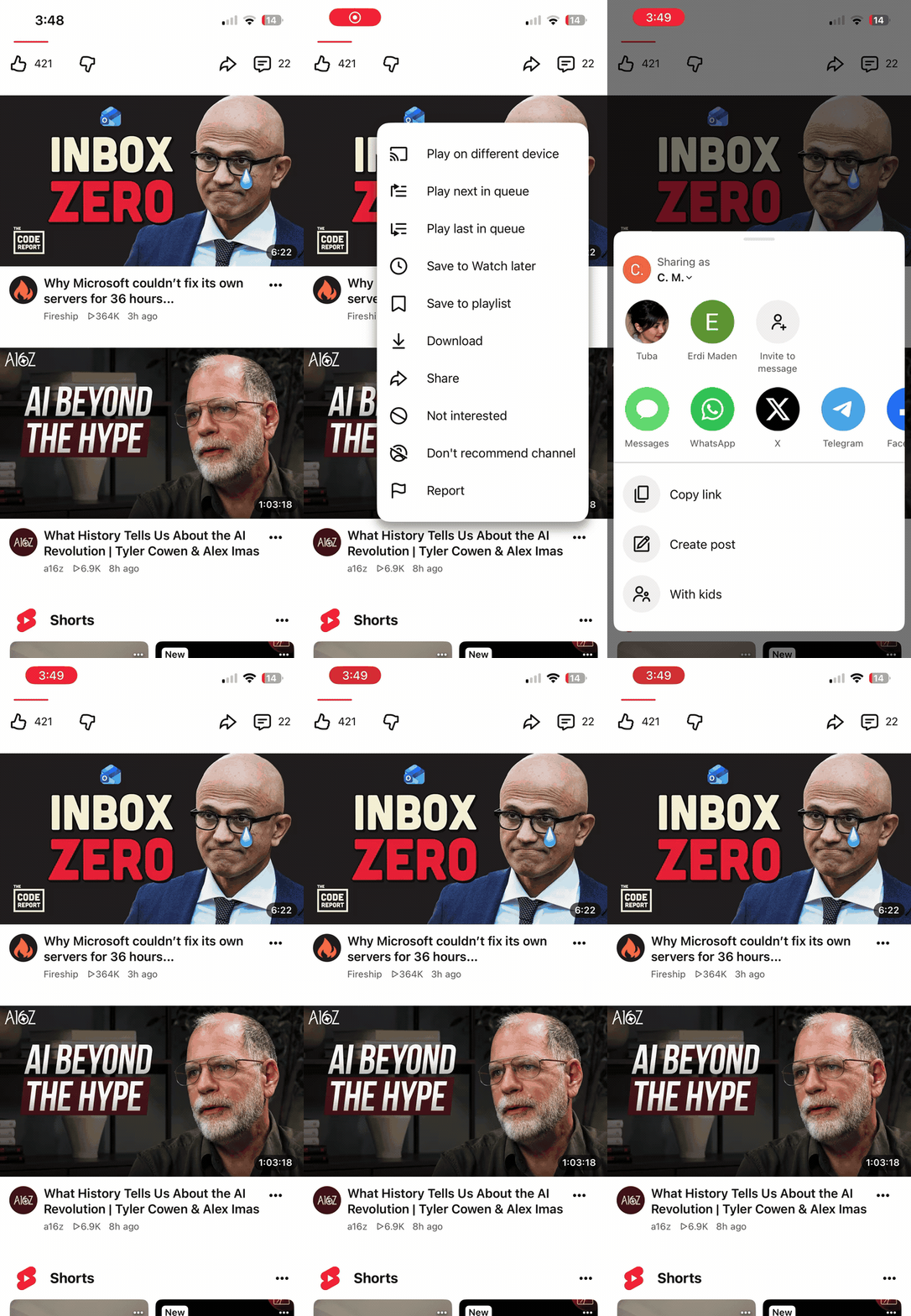
The URL contract is small:
{"url": "https://example.com/article"}The text route accepts a different body, with an optional source URL:
{
  "text": "Text I want to read later.",
  "source_url": "https://example.com/article"
}
The description above follows the documented integration; it is not an exact inventory of actions on my phone. There is no need for the shortcut to know which model summarizes a video or how the Kindle document is assembled.
The webhook path contains a secret. The extension's personal package includes that endpoint, so sharing the package also shares submission access. Any reusable example needs a placeholder rather than my actual URL.
Extract before summarizing
Webpages go through Trafilatura to extract the main text, with comments excluded and tables included. This reduces the navigation and boilerplate sent to the model [Trafilatura documentation].
For YouTube, the processor tries an English transcript first. If transcript retrieval fails, it falls back to sending the video URL through the model's native video path. The stored content type records which path was used: youtube-transcript or youtube-video.
One operational lesson was that a transcript failure does not necessarily mean a video has no captions. YouTube can return a sign-in or bot-verification response. Changing the summarization model does not fix that ingestion problem.
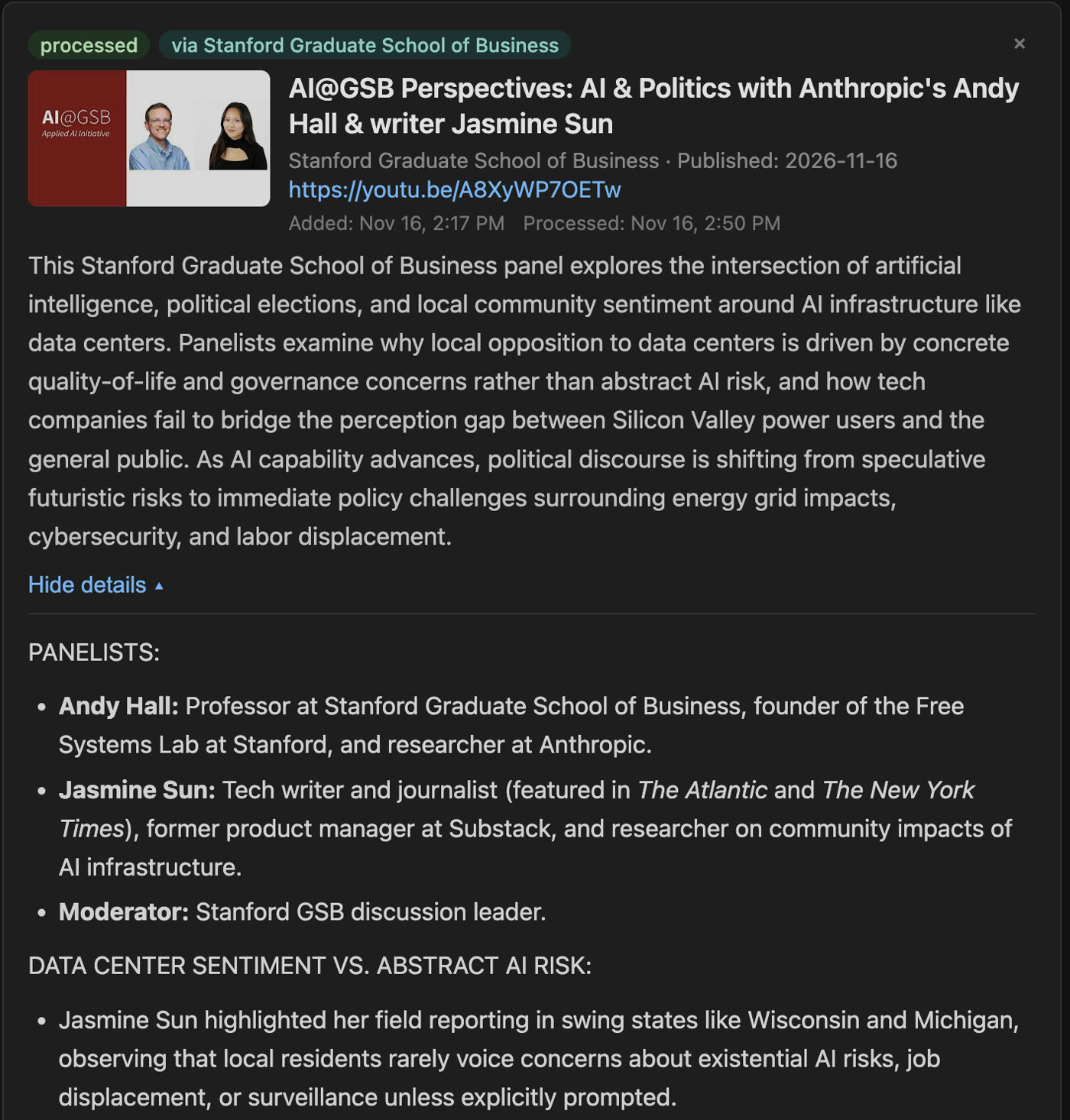
The processor stores an executive summary, a detailed summary, and available metadata. These are generated interpretations of source material. They can omit context or make mistakes. Keeping the original URL with the summary gives me a way to check a claim or return to the full argument.
Give retries a budget
Repeated failures once prevented useful progress through the queue. The current processor limits each job: at most three item attempts, six Gemini requests, and a 240-second budget checked before further work. It stops after the first successful summary.
The request budget is shared across model and API-key fallbacks. Otherwise, a request limit at the outer loop could hide several calls inside one attempt. This excerpt from ProcessingBudget shows where accounting happens:
def check(self):
    if self.requests >= self.max_requests:
        raise BudgetExhausted("request_limit")
    if monotonic() >= self.deadline:
        raise BudgetExhausted("time_limit")

def claim(self):
    self.check()
    self.requests += 1
claim() runs immediately before a Gemini SDK request. The deadline does not forcibly interrupt a call already in progress; individual calls have their own timeouts. SDK retries also matter, so the implementation notes explicitly call for revisiting this accounting when the SDK changes.
Temporary failures get a cooldown. Three counted processing failures move an item to failed, where a manual Retry resets its allowance. Running out of the job's budget is a deferral, not evidence that the content itself failed.
This makes the difference between "try again later" and "keep trying forever" explicit.
Save into the current queue
A summary can take long enough for another request to change the queue. Saving the entire snapshot taken before the model call would risk overwriting a newly added item or bringing back one I deleted.
The service keeps external work outside the storage lock, then merges the result into the latest state. Here is a shortened version of that pattern, with the detailed result fields omitted:
result = await asyncio.to_thread(
    budget.run, summarize, snapshot["url"], snapshot["seq"]
)

def save(current):
    entry = _current_pending(current, snapshot)
    if entry is None:
        return False
    entry.update(result)
    entry["status"] = "processed"
    return True

await update_data(save)
_current_pending checks the item's identity and whether it is still pending. The real implementation copies an explicit set of result fields. Locked storage updates write a temporary file, flush it, and atomically replace the data file.
That provides short, serialized updates and atomic replacement of each file. It does not make several JSON files one crash-atomic database transaction. The job registry is also in memory, which is why this service runs with one worker. Adding more workers would require a different coordination design.
Job-start endpoints return HTTP 202. That means the job was accepted, not that processing or delivery has finished. The interface follows a separate status endpoint to show the outcome.
Turn the summaries into something readable
The EPUB builder uses EbookLib. It creates a table of contents and a chapter for each item, with the short summary followed by the detailed one. YouTube thumbnails help identify items; source links and QR codes provide routes back to the originals.
There were device-specific details here too. The Kindle conversion behavior led to a table-based thumbnail index. Image widths had to be chosen carefully to preserve its two-column layout. The attachment filename also matters because it is what the Kindle library shows, so it includes the date and a recognizable first title.
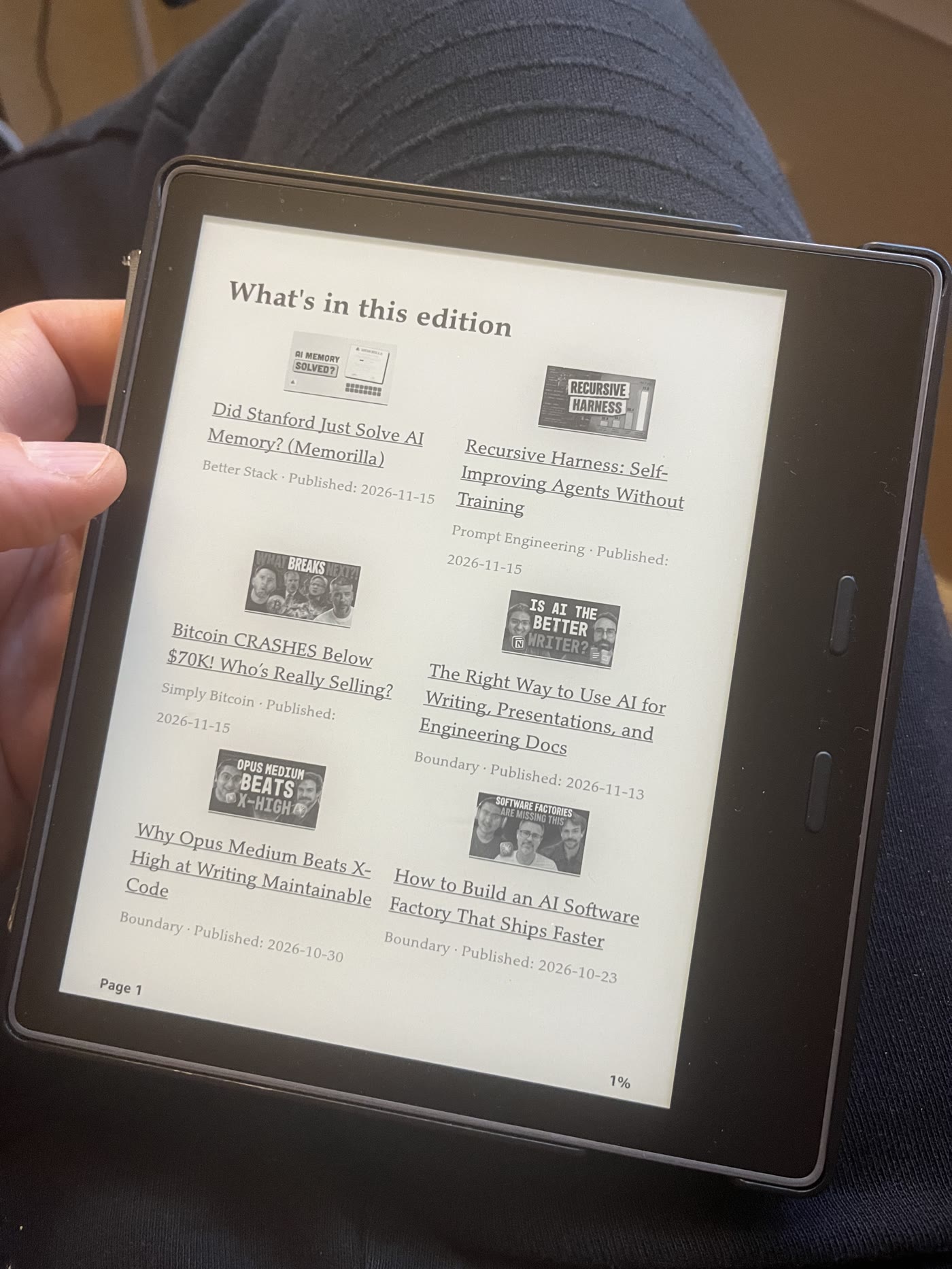
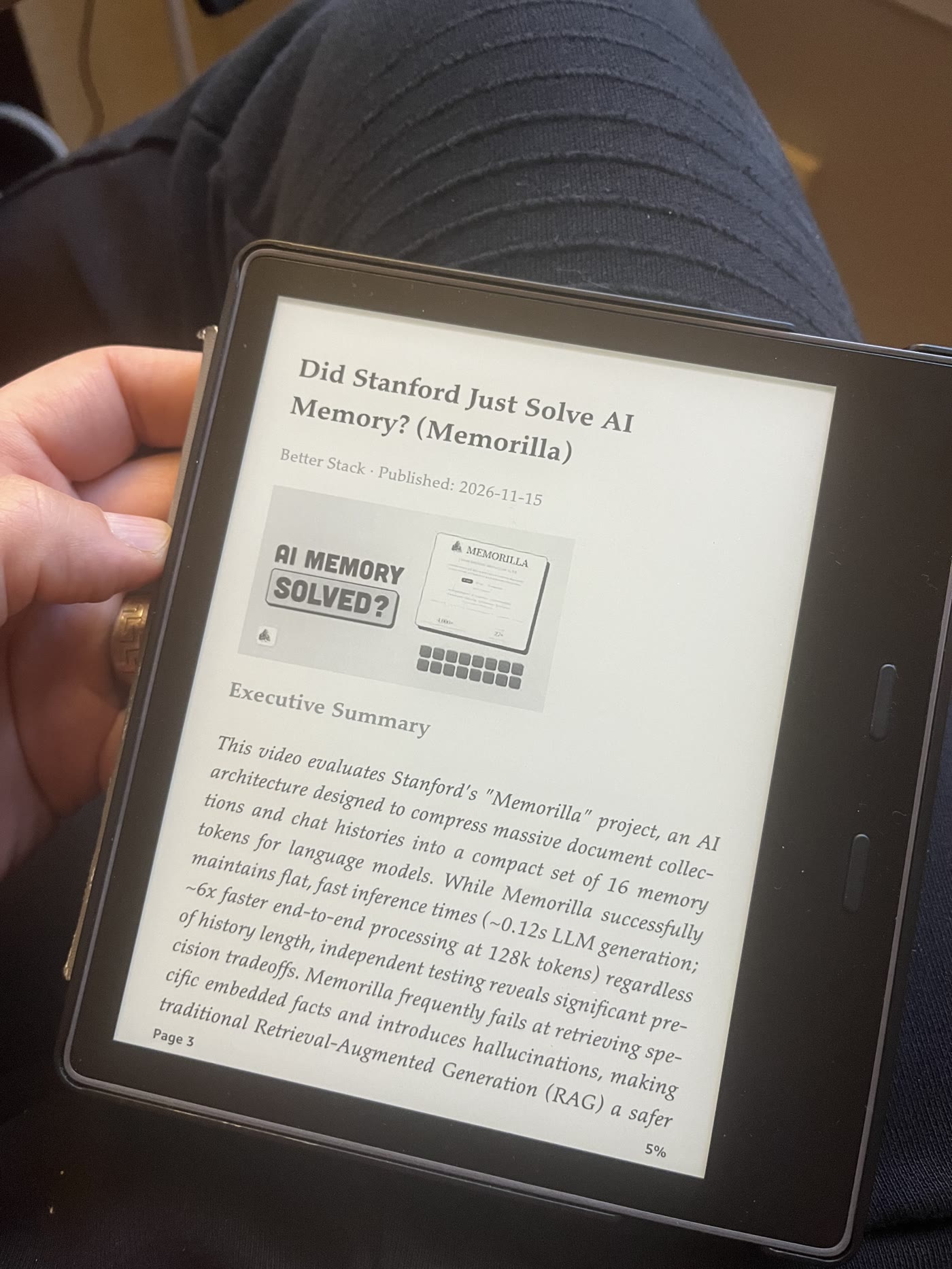
AgentMail sends the generated attachment to the configured Kindle email address. This uses document delivery, so the reading workflow does not require the jailbreak used by my dashboard project.
The service marks the corresponding items emailed after the mail API succeeds. That records acceptance by the mail service, not confirmation that the document is on the Kindle. If the process stops between sending and recording the result, a repeated send can duplicate delivery. The runbook calls for checking delivery before retrying that case.
The same content, in a web reading view
The read-only page exposes a selected set of fields through a token-protected route. It has reading, waiting, and failed views, so an unavailable summary does not silently disappear.
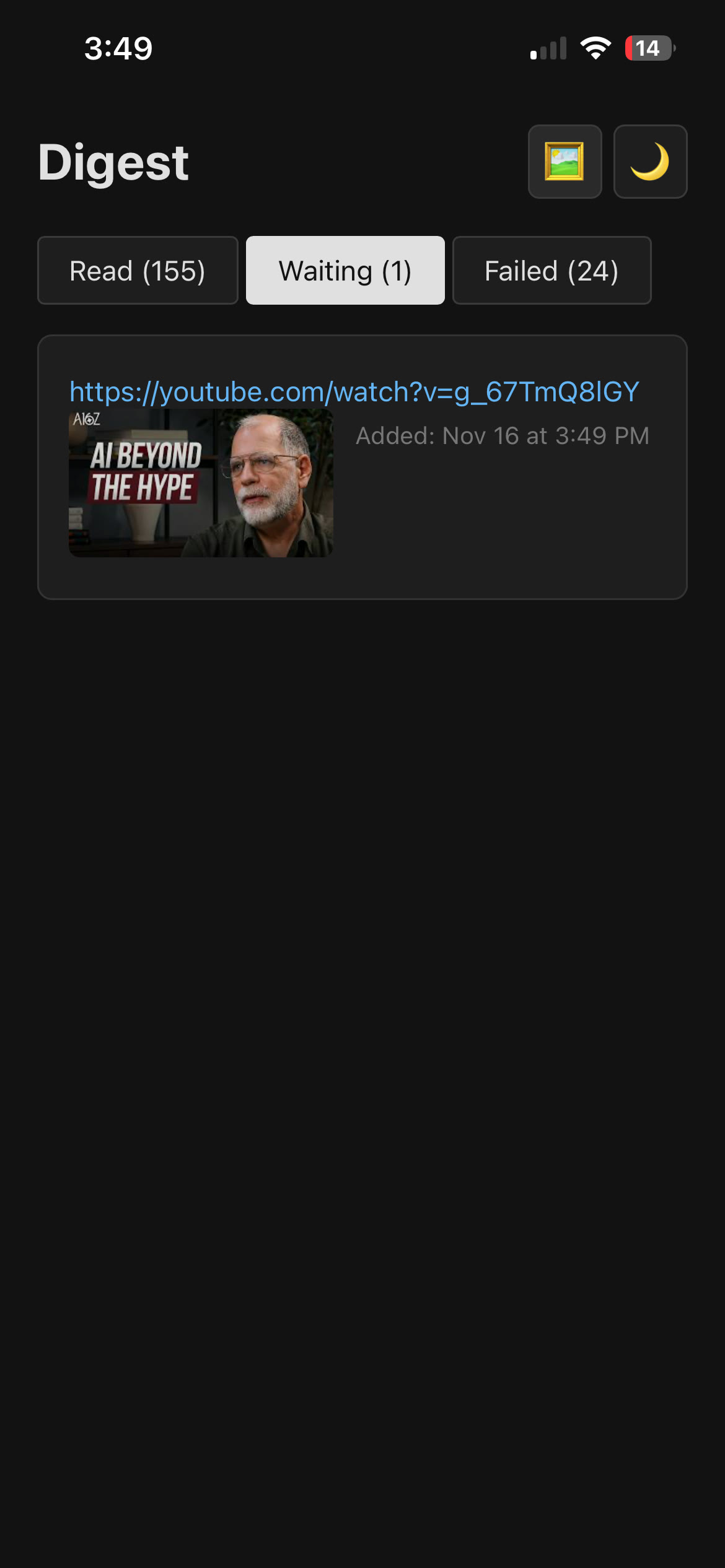
Within a story, the interface can show an abstract or the full summary. Collapse state stays in browser local storage. A "Collapse & Go to Next" action folds the current story and moves to the next one. That state is local to the browser; it is not synchronized reading progress across devices.
The read URL is also a credential. It bypasses the administrative basic-auth prompt, but it is not a public archive link.
For me, the useful engineering question is whether each handoff preserves enough information to recover: was the URL accepted, did processing finish, was email sent, and can I still find the source?
Generating a summary is one step. Making it easy to capture, inspect, read, and question is the rest of the project.
Building with a coding agent
Most of this project was done with a coding agent. It can help implement the server, capture clients, and reading formats together. I still need to judge whether the summaries preserve the source's meaning and whether the workflow is convenient enough to use.
These are sample prompts, not the exact prompts from the project or a complete setup recipe. Replace the placeholders with your environment. I would work through them one part at a time, checking the result at each handoff.
Server, extraction, and summarization
Build a small service that accepts webpage and YouTube URLs into a persistent queue and processes them separately from capture. Extract webpage text and try video transcripts before falling back to a supported video-input path. Store the original URL alongside every summary. Limit retries, model requests, and time spent per job. Distinguish pending, processed, and failed items. Test a timeout, an unavailable transcript, and an item deleted while processing. Start locally with sample inputs and keep credentials out of shared code.
Chrome capture
Build a Chrome extension with a toolbar action and right-click actions for a page or link. Send the selected URL to [webhook endpoint] using the minimum necessary permissions. Show accepted, failed, and uncertain delivery states. Avoid automatic retries that could duplicate a request already accepted by the server. Keep routing logic on the server. Produce a development package and explain how to load it locally; do not include my real submission credential in a shareable package.
iOS sharing
Help me create an iOS Share Sheet shortcut that accepts a URL and posts a JSON body containing
urlto [webhook endpoint]. Handle missing input and show whether the server accepted the request. Keep URL submission separate from the text endpoint, which stores already-prepared reading content. Give me the actions in order and explain how to test with a harmless sample URL. Treat the webhook as a credential when exporting the shortcut.
Kindle delivery and the web reader
Turn processed items into an EPUB with a table of contents, short and detailed summaries, and links back to the sources. Generate a local file first so I can inspect it. Then add email delivery to my configured Kindle address. Distinguish mail-service acceptance from actual delivery and document what happens if recording the send result fails. Also build a read-only web view with abstract/full views and local collapse state. Keep administrative actions out of that view and explain its access model.
Uploading and releasing
Read the project's deployment documentation before changing the server. Use its existing deployment script, preserve runtime queue data, and run checks for capture, processing, reading, and delivery. Package the Chrome extension separately, and document the iOS shortcut's endpoint configuration. Show the release scope and recovery plan before the first live upload. After deployment, verify the web reader and queue with a sample item; ask before sending a test email. Report partial failures rather than retrying uncertain deliveries blindly.
A coding agent can assemble these pieces quickly. The prompts should still ask it to show what happened, especially when a request crosses from one system into another.